Key takeaways
- 01FitNotes is Android-only; its FAQ says there are no plans for an iPhone version.
- 02Two App Store apps use the FitNotes name, from other developers. FitNotes 2 reads FitNotes backups and CSV files.
- 03No account plus a backup you can restore: FitNotes 2, GymBook Pro, LiftLoggr.
- 04LiftLoggr can't read a FitNotes file; bring history over with FitNotes 2.
On this page
There is no FitNotes for iPhone. Its developer’s FAQ says FitNotes “is only available for Android devices and there aren’t any plans to develop an iOS/iPhone version at the moment.” What you can get on iPhone is an app that keeps what FitNotes users like: free or one-time pricing, no account, a plain day-by-day log and a backup file you control.
LiftLoggr is our app. It has no connection to FitNotes or its developer, and it isn’t the best pick for everyone here: if you want your Android FitNotes history on your iPhone, another app does that and we say which. Facts about other apps come from the App Store (US storefront), Google Play and developer sites, checked 2026-11-14. We read them; we didn’t run each app for weeks.
What FitNotes users are actually looking for
FitNotes earned 4.8 stars from 31.7K reviews and 1M+ downloads on Google Play by doing a few things well. Its own listing and help pages spell them out:
- Free, no ads: “Free to use, and no ads - ever.”
- No account, no data collection: Google Play’s data-safety section reads “No data collected”.
- A day-by-day log you swipe through, with a calendar that highlights training days and can filter them (for example, days you benched over 80 kg for 5 reps).
- Routines split into named days, as many as you want.
- Real backups: a backup file you save to the phone, Dropbox or Google Drive, or automatic Google Drive backups of the last 5 versions.
- CSV for spreadsheets, with an honest note: “It is not possible to restore data from the CSV file - please use the Backup option for this.”
That last line matters. When you judge an iPhone replacement, check two things separately: a CSV you can read and a backup you can restore.
Watch out for the name
Search “FitNotes” on the App Store and two apps come up. Neither is from the Android app’s developer.
| App Store app | Developer on the listing | On the App Store since | What the listing says about FitNotes |
|---|---|---|---|
| FitNotes 2 - Gym Workout Log | Ginger Technologies Pte Ltd | 2020 | “Based on the popular FitNotes app”; imports “the original FitNotes database and FitNotes CSV files”; “This app is not affiliated with other fitness apps.” |
| FitNotes - Workout Tracker | Evgeny Uralsky | 2016 | Nothing about the Android app |
Both are legitimate apps you can choose on their merits. Just don’t assume either is the FitNotes you used on Android.
The FitNotes checklist, applied to 6 iPhone apps
| Free to log | No account | Restorable backup | CSV export | Reads FitNotes files | Apple Watch | |
|---|---|---|---|---|---|---|
| FitNotes 2 (Ginger) | Up to 12 saved workouts | Yes | iCloud backups | Yes | Yes | Yes |
| FitNotes - Workout Tracker (Uralsky) | Free download, PRO extra | Not stated | Backups | Yes | “Compatible CSV files” (not specified) | Yes |
| GymBook | Yes | None mentioned | Pro | Pro | No | Yes, iPhone can stay home |
| Alpha Progression | Yes | Optional | Not stated | Yes, free | Not stated | No |
| GymLogger X | Yes, 30 days of history | Yes | iCloud sync, no backup file stated | No | Pro CSV mapping | Yes, starts on iPhone |
| LiftLoggr | See pricing below | Yes | Yes, JSON | Yes | No | Companion |
Three FitNotes traits are hard to get together on iPhone: free, a restorable backup and no limits. Every option trades one of them away.
The 6 options
1. FitNotes 2 (Ginger Technologies): if you’re bringing your FitNotes history
This is the only iPhone app we found that says it reads FitNotes files directly, and it also “Export[s] back to the original FitNotes. No lock-in.” No account. Routines as templates, plate calculator with per-gym profiles, RPE and RIR, warm-up sets, rest timer on the Lock Screen, an Apple Watch app, and manual and automatic iCloud backups.
The catch is the free tier: “The free version of FitNotes 2 can save up to 12 workouts.” Every feature is free; the count is the only limit. The US listing sells unlimited use as two “Unlimited Use” purchases (US$1.99 and US$14.99, plan lengths not named) or “Forever” at US$44.99. Its privacy label lists purchases, device ID, usage and diagnostics as data not linked to you.
Pick it if you’re switching phones and want your FitNotes years on the iPhone tonight.
2. FitNotes - Workout Tracker (Evgeny Uralsky): the long-running namesake
On the App Store since 2016, with 1.5K ratings. Routines that span multiple days, supersets, progression rules that adjust next targets, a workout calendar, CSV export, “import compatible CSV files” and backups. PRO is US$9.99 one-time, US$0.99 a month or US$4.99 a year. It requires iOS 26 and watchOS 26. The label lists Health & Fitness, coarse location and usage as data not linked to you.
Pick it if you want a cheap one-time unlock and a feature set close to FitNotes’. The listing doesn’t say which CSV layout it accepts, so don’t count on it reading a FitNotes export.
3. GymBook: the calmest iPhone log
GymBook has been on the App Store since 2013 and reads Data Not Collected. “Your workout data stays with you, not with us.” Free covers unlimited workouts and exercises, notes, the Workout Matrix overview, heat maps, body measurements and the Apple Watch app, which logs with the iPhone “in your pocket or even at home”. Pro is US$22.99 one-time.
Pick it if you liked FitNotes because it was quiet. Know that export (CSV and XML), the restorable database backup and iCloud backup are listed under Pro, so the FitNotes habit of a free backup costs a one-time unlock here.
4. Alpha Progression: free logging with free CSV
“Free logging, no account.” Alpha Progression’s free tier covers unlimited workout logging, your own plans, 795 exercises with filmed demos, a rest timer, records and CSV export; it “works fully offline”. Pro (US$12.99 a month, US$79.99 a year) adds a plan generator and per-set load recommendations.
Pick it if you want FitNotes’ price (free) and its open CSV. Skip it if you log from a watch: the US listing says “Only for iPhone”. Its privacy label lists Purchases and Identifiers as used to track you, which FitNotes users may not expect.
5. GymLogger X: no account, plans included
A one-person studio’s iPhone and Watch logger, with Data Not Collected on its label, no account and 44 programs (6 free). Pro is US$39.99 one-time.
Pick it if you want no account and a program to follow. Skip it if you want FitNotes’ spreadsheet export: its developer’s page says there’s no CSV export of every set. The free tier keeps 30 days of history and 3 templates.
6. LiftLoggr: no account, and both a CSV and a backup
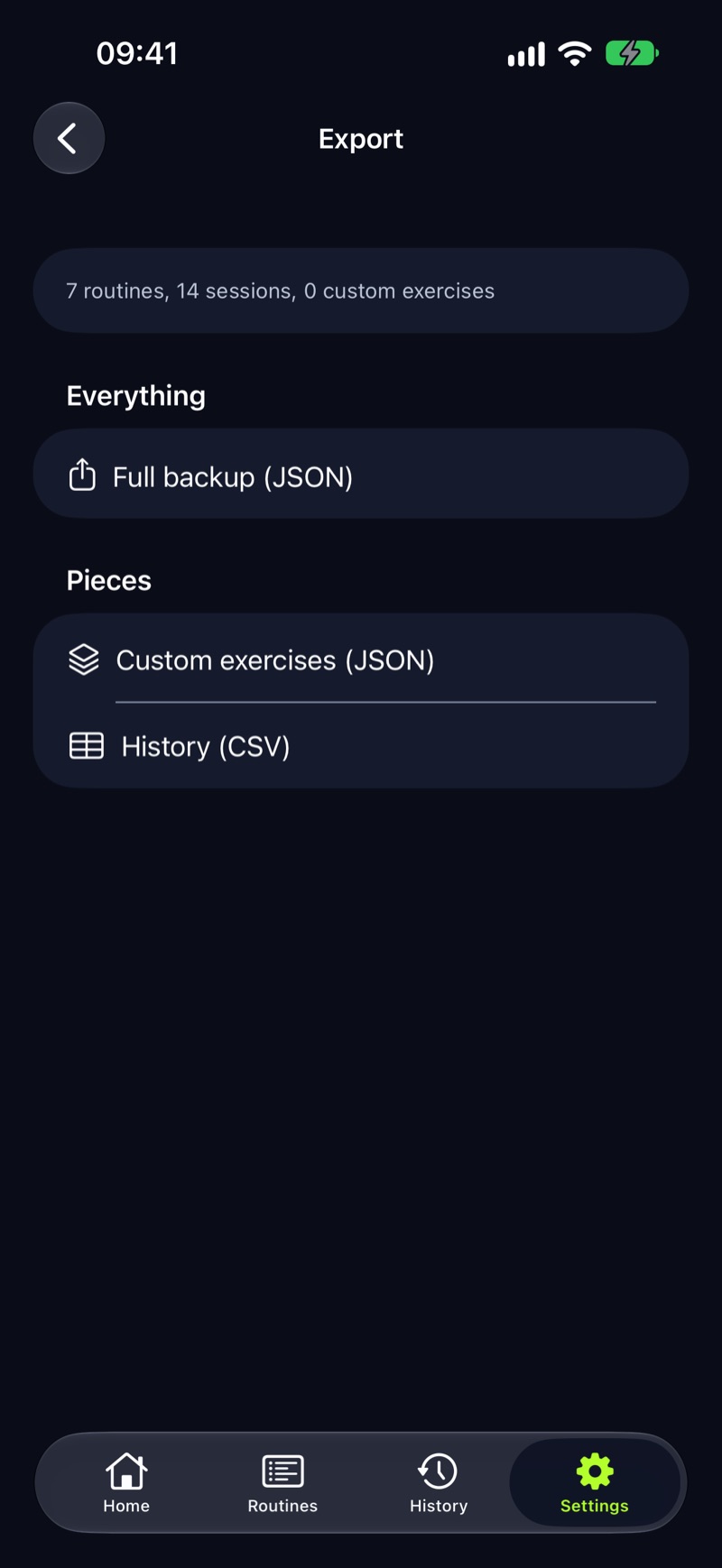
LiftLoggr is our app. It keeps the FitNotes split of duties: a CSV for spreadsheets, a separate backup for restoring.
- No account, no LiftLoggr server. Your log stays on the iPhone; optional sync uses your own iCloud.
- History CSV, one row per set: date, routine, exercise, set, weight, unit, reps, warm-up, completed, note, set type, RIR, superset.
- Full JSON backup that restores, merged into your data or replacing it.
- A training calendar, notes on exercises and workouts, last time’s numbers beside each set, routines with a weekday schedule, and an auto rest timer on the Lock Screen and Apple Watch.
Skip it if you need your FitNotes history inside the app: LiftLoggr can’t read FitNotes files or any CSV. Also no Android version until early 2027, and the Watch app is a companion that needs the iPhone app.
LiftLoggr is free today. LiftLoggr Pro arrives with the December update, and everyone who installs before then keeps the whole app free for good.Moving from FitNotes on Android to an iPhone
- On Android, open FitNotes → Settings → Data → Backup → Share Backup and send the
.fitnotesfile to Google Drive or email. - Also make a Spreadsheet Export (Settings → Data → Spreadsheet Export → Share Export). That CSV is your readable record whatever happens next.
- On the iPhone, decide: import into FitNotes 2, which says it reads both files, or start fresh in another app and keep the CSV in Numbers or Google Sheets.
- If you start fresh, rebuild only the routines you run now. Your old PRs stay searchable in the spreadsheet.
Why not just Strong or Hevy?
They’re the two names most people suggest, and both are good loggers. They just break the FitNotes rules that brought you here.
- Both need an account. Strong: “All users will be prompted to sign up for an account before using Strong.” Hevy keeps your log on its servers under your profile. FitNotes never asked who you were.
- Both cap the free tier. Strong stops at 3 custom routines; Hevy at 4 routines, 7 custom exercises and 3 months of stats. FitNotes lets you “Create as many routines as you want”.
- Neither restores its own CSV. FitNotes at least gives you a backup file beside the CSV. Strong’s export “cannot be imported back into Strong”; Hevy imports CSV from Strong only.
If you want a social feed or Android and iPhone side by side, they’re still worth a look: see Strong vs Hevy.
If none of these feel right
Some FitNotes users really wanted a notebook with a calculator. Read gym notebook vs app before you install anything, and how to track workouts for what’s worth writing down. On price, workout apps without a subscription covers the one-time options in more depth.
Questions
Is FitNotes available on iPhone?
No. The FitNotes site says it is only available for Android devices and that there aren't any plans to develop an iOS/iPhone version at the moment. Apps on the App Store with FitNotes in the name come from other developers.
Can I move my FitNotes data from Android to iPhone?
Yes, with FitNotes 2 (Ginger Technologies), whose listing says it imports the original FitNotes database and FitNotes CSV files. On Android, save a FitNotes backup or a spreadsheet export, move the file to the iPhone, then import it in FitNotes 2.
Is FitNotes 2 made by the FitNotes developer?
The developer listed on the App Store is Ginger Technologies Pte Ltd; the Android FitNotes developer is James Gay. FitNotes 2's listing says it is based on the FitNotes app and is not affiliated with other fitness apps.
What's the closest free iPhone app to FitNotes?
For a free tier with no account and free CSV export, Alpha Progression's logging is free, but it has no Watch app. FitNotes 2 has every feature free but saves only 12 workouts. GymBook is free with a small library and paid export.
Can LiftLoggr import my FitNotes CSV?
No. LiftLoggr has no CSV import of any kind. It exports a per-set CSV and a JSON backup that restores into LiftLoggr. LiftLoggr is not affiliated with FitNotes.
Sources
- FitNotes FAQ (official site) fitnotesapp.com
- FitNotes help: Settings (backup, restore, export) fitnotesapp.com
- FitNotes, Google Play listing play.google.com
- FitNotes 2 - Gym Workout Log, US App Store listing apps.apple.com
- FitNotes - Workout Tracker, US App Store listing apps.apple.com
- GymBook, US App Store listing apps.apple.com
- GymBook website gymbookapp.com
- Alpha Progression, US App Store listing apps.apple.com
- GymLogger X, US App Store listing apps.apple.com
- Lagerland Apps: GymLogger X vs Strong lagerland.app
- Strong help: Why do I need a Strong account? help.strongapp.io
- Strong help: Can I export my workout data? help.strongapp.io
- Hevy help: 2026 features guide (free vs Pro) help.hevyapp.com
- Hevy help: importing Strong CSV files and exporting your data help.hevyapp.com