Key takeaways
- 01Keep your Strong history: Hevy reads a Strong CSV directly; GymLogger X Pro maps it by hand.
- 02Keep a Watch-first workflow: GymBook's Watch app logs with the iPhone at home.
- 03Lose the account: GymLogger X, GymBook, Alpha Progression and LiftLoggr need none.
- 04Stay with Strong if its Watch app and years of polish matter most.
On this page
The best Strong alternative is Hevy if you want to carry your Strong history over, GymBook if you want Strong’s calm and a Watch app that works with the iPhone at home, and GymLogger X or LiftLoggr if the account is what you want gone. Strong itself is still a very good logger; most people leave over the account, the 3-routine free tier or a CSV that can’t come back in.
LiftLoggr is our app and appears below with its gaps listed. All other facts come from App Store listings (US storefront), help centres and developer sites, checked 2026-11-14. We read them; we did not train with each app for weeks.
What Strong does well (the bar to clear)
Be honest about what you’d give up before you switch.
- A Watch app that stands on its own. “Fully-featured Apple Watch app to log workouts with or without your iPhone.” Strong adds Live Sync, so wrist and phone show the same workout, and Handoff between them.
- A notebook, not a network. No feed and no likes. Share links are the only social feature.
- A long, steady track record. 109K ratings on the US listing, releases all through 2026, a Lock Screen and Dynamic Island rest timer added in a 2026 update, RPE, warm-up and plate calculators.
- No lock-out. Strong’s help centre: “your workout data will always be available whether you are a Strong PRO user or not.”
Why people still look for a Strong alternative
- The account. “All users will be prompted to sign up for an account before using Strong.” Your history lives in Strong Cloud under that account.
- 3 routines on the free tier. “The free version of Strong can save unlimited workouts, but is limited to 3 custom routines.” Charts, the plate calculator and the warm-up calculator are PRO too.
- A one-way export. “You can export your workout data to a spreadsheet friendly CSV format. Please note that exported files cannot be imported back into Strong.” Strong has no import for other apps’ files either.
- The price of keeping it. PRO is US$4.99 a month or US$29.99 a year; PRO Forever is US$99.99 on the US App Store.
Which alternative keeps what you care about
Test 1: can it take my Strong CSV?
| App | Reads a Strong export? | How |
|---|---|---|
| Hevy | Yes | Built-in Strong CSV import; file must be in English and in kg |
| GymLogger X | With Pro, by hand | Generic CSV, TSV or TXT importer with column mapping; no Strong preset (developer’s page) |
| Liftosaur | Not documented | Imports Hevy CSV and its own CSV |
| GymBook | No | Imports its own backup only |
| Alpha Progression | Not stated | Listing mentions CSV export, not import |
| Boostcamp | Not stated | — |
| LiftLoggr | No | No CSV import of any kind |
Test 2: does it match Strong’s Watch app?
| App | Apple Watch, in the developer’s words |
|---|---|
| GymBook | Log “whilst keeping your iPhone in your pocket or even at home” |
| Hevy | “Finish your workout without touching your phone”; saves “when your watch reconnects to your phone” |
| GymLogger X | Free Watch app; “the iPhone starts the workout” |
| LiftLoggr | Companion: checks sets, edits weight and reps, runs the rest countdown; needs the iPhone app |
| Liftosaur | Watch app is a Premium feature |
| Alpha Progression | No Watch app listed |
| Boostcamp | No Watch app listed on the US App Store |
Test 3: what does a one-time unlock cost?
| App | One-time price, US App Store, 2026-11-14 |
|---|---|
| Strong PRO Forever | US$99.99 |
| Liftosaur Premium lifetime | US$99.99 |
| Hevy Pro lifetime | US$74.99 |
| GymLogger X Pro lifetime | US$39.99 |
| GymBook Pro lifetime | US$22.99 |
| Alpha Progression | No lifetime listed; yearly US$79.99 |
| LiftLoggr | Store price; see the pricing line below |
The 7 alternatives
1. Hevy: the easy move with your history intact
Hevy’s import exists for Strong users: Profile → Settings → Export & Import Data → Import Data, then the Strong CSV option. Free gives you 4 routines, one more than Strong. It adds Android, Wear OS and a web browser app.
- Pick it if keeping your Strong years matters more than anything else, or you want friends and a feed.
- Skip it if the account was your reason: Hevy stores your log “on our servers, not to your device”, and new profiles are public by default. Free stats stop at 3 months; 7 custom exercises is the cap. Full comparison: Strong vs Hevy.
2. GymLogger X: the app built as a Strong alternative
GymLogger X (by Lagerland Apps, a one-person studio in Finland) markets itself directly against Strong, so we checked its claims. Confirmed on the US App Store: no account (“there is no account to make”), a privacy label of Data Not Collected, a free Apple Watch app, 44 programs (6 free), Pro at US$1.99 a month, US$17.99 a year or US$39.99 one-time. From its own comparison page: no CSV export of every set, a Pro CSV importer with column mapping, a free tier capped at 3 templates and 30 days of history, and a Watch app that needs the iPhone to start a workout.
One claim we couldn’t match: its page says Strong’s CSV export is a PRO feature. Strong’s own export article doesn’t mention PRO. Check in your Strong app before you plan the move.
- Pick it if you want no account, a program to follow and a cheap one-time unlock.
- Skip it if you want your data out again as a spreadsheet, or more than 30 days of history for free.
3. GymBook: the quiet one-time purchase
GymBook reads Data Not Collected on the App Store, says “your workout data stays with you, not with us”, and sells GymBook Pro for US$22.99 one-time. Its Watch app is the closest to Strong’s: log with the iPhone “in your pocket or even at home”.
- Pick it if you want Strong’s calm without the account, and you’ll pay once.
- Skip it if you need export for free: CSV and XML export, the restorable database backup and iCloud backup are listed under Pro. The free library is 50+ exercises, and there’s no Android app.
4. Liftosaur: for lifters who like rules
Liftosaur works without an account and offline. Programs are text in its Liftoscript language, with progression and deload rules written in. Its export is the most complete here: a JSON file that restores in full, a CSV it can read back, and programs as text. It reads Hevy’s CSV; a Strong CSV isn’t documented.
- Pick it if you run GZCLP, 5/3/1 or your own scheme and want the app to do the math.
- Skip it if you want Strong’s Watch app on the free tier: the Watch app, graphs, plates per side and Live Activity are Premium.
5. Alpha Progression: free logging, paid planning
Alpha Progression’s US listing: “Free logging, no account.” It “works fully offline” and exports “everything as CSV” on the free tier. Pro adds a plan generator and per-set weight and rep recommendations, at US$12.99 a month or US$79.99 a year.
- Pick it if you want an account-free iPhone log with free CSV export, and you might later want the app to suggest loads.
- Skip it if you use an Apple Watch: the listing says “Only for iPhone”. Its privacy label lists Purchases and Identifiers as data used to track you.
6. Boostcamp: when the program is the point
Boostcamp’s listing claims 11,000+ programs, 130+ from coaches, and “Free to start. No ads.” It logs offline, with RPE, RIR, auto-progression and Live Activities.
- Pick it if you left Strong because you were copying programs from Reddit into templates by hand.
- Skip it if you want a Watch app (none listed on the US App Store) or a lean privacy label: it lists Identifiers as used to track you. The listing names Pro prices without plan lengths, so check them in the app.
7. LiftLoggr: no account, the Strong loop, an export that restores
LiftLoggr is our app. It keeps the parts of Strong people like, the notebook feel and the fast set entry, and drops the account.
- No account, no LiftLoggr server. Your log stays on the iPhone; optional sync uses your own iCloud.
- More of the loop is built in: warm-ups built from your first working set, double progression that pre-fills next weights, deload suggestions, last time beside each set, a plates-per-side calculator, RIR, drop sets, supersets and an auto rest timer on the Lock Screen, Dynamic Island and Apple Watch.
- A backup that restores, plus a per-set history CSV.
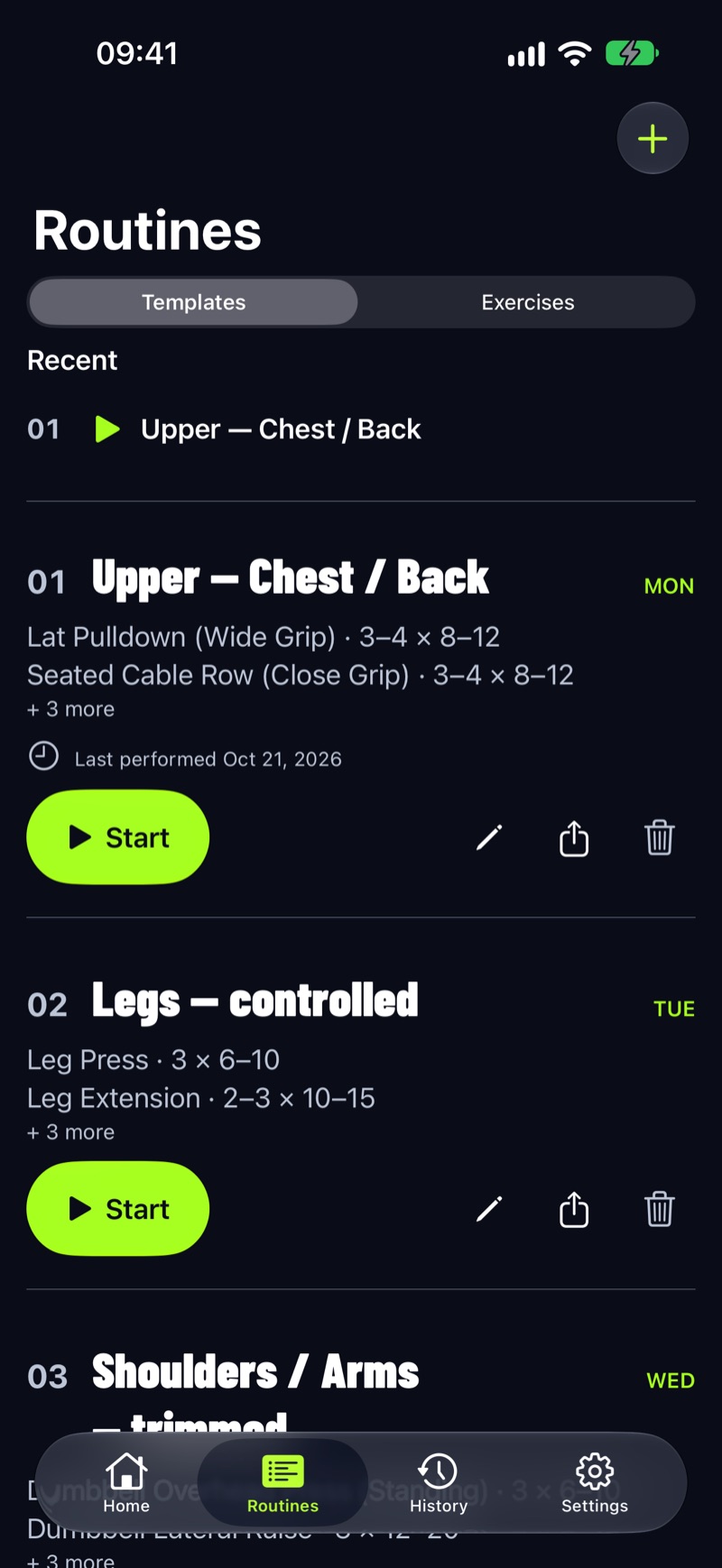
- Skip it if you need your Strong history inside the app (no CSV import), a Watch app that works without the iPhone (ours is a companion), Android today (coming to Google Play in early 2027), or a web app.
Stay with Strong if…
- You run whole workouts from the Apple Watch and leave the phone behind. Strong promises that in plain words; most alternatives here don’t.
- You have years of history and no wish to keep an old CSV next to a new app.
- You like it, it works, and 3 routines or a PRO purchase you already made covers you.
Moving out of Strong, step by step
- In Strong: Settings → Export Strong Data (iOS) or Settings → Export Data (Android). Set the app to English first if you’re heading to Hevy.
- Save the CSV somewhere outside the phone. It’s your logbook, whatever app comes next.
- Rebuild your routines in the new app. Use the weekday and rep-range fields if it has them; that’s where progression comes from.
- Make a backup in the new app on day one and restore it once to prove it works.
For the price side of the decision, see workout apps without a subscription; for the Watch side, see the best Apple Watch weightlifting apps.
Questions
What's the best Strong alternative if I want to keep my history?
Hevy. It accepts a direct Strong CSV export in English and kilograms, so switch Strong to English before exporting. GymLogger X Pro also reads CSV files, with a column-mapping step and no Strong preset.
Is there a Strong alternative without an account?
Yes: GymLogger X and LiftLoggr have no account, GymBook mentions none and lists Data Not Collected, and Alpha Progression's account is optional. Liftosaur works without one too and adds an account only for sync.
Which alternative has an Apple Watch app as capable as Strong's?
None of the ones we checked promise exactly what Strong does. GymBook's site says you can log from the wrist with the iPhone at home. Hevy logs and finishes on the watch and saves when it reconnects to the phone. GymLogger X and LiftLoggr start from the iPhone.
Is Strong PRO worth it?
If you need more than 3 routines and want Strong's Watch app, yes on its own terms. On the US App Store PRO Forever is US$99.99 and a year is US$29.99, so the one-time purchase pays for itself after about 3.3 years. Several alternatives charge less for a one-time unlock.
Can I import my Strong CSV into LiftLoggr?
No. LiftLoggr has no CSV import of any kind. Keep the Strong CSV as a spreadsheet record and start a fresh log; LiftLoggr's own JSON backup is the file that restores.
Sources
- Strong, US App Store listing apps.apple.com
- Strong help: Why do I need a Strong account? help.strongapp.io
- Strong help: Can I export my workout data? help.strongapp.io
- Strong help: What is Strong PRO? help.strongapp.io
- Strong help: About Strong for Apple Watch help.strongapp.io
- Hevy help: importing Strong CSV files and exporting your data help.hevyapp.com
- Hevy help: 2026 features guide help.hevyapp.com
- Hevy, US App Store listing apps.apple.com
- GymLogger X, US App Store listing apps.apple.com
- Lagerland Apps: GymLogger X vs Strong lagerland.app
- GymBook, US App Store listing apps.apple.com
- GymBook website gymbookapp.com
- Liftosaur: Import and Export liftosaur.com
- Liftosaur: Premium liftosaur.com
- Alpha Progression, US App Store listing apps.apple.com
- Boostcamp, US App Store listing apps.apple.com