
Key takeaways
- 01PDF: 8 exercises × 5 sets per session page, plus a 12-week progress page.
- 02Spreadsheet: one row per set; volume and e1RM fill in by themselves.
- 03e1RM uses the same rule as the LiftLoggr app: Brzycki, up to 12 reps, warm-ups excluded.
- 04Free downloads. No account, no email.
On this page
Downloads
Download a free workout log below: a printable PDF in A4 or US Letter, in kg or lb, and a spreadsheet for Google Sheets or Excel that works out volume and estimated 1RM as you type. No account and no email: the links are the files.
The PDF is two pages. Print page 1 for every session; print page 2 once per training block.
What’s in the printable log
Page 1: the session. A header for the date, workout name, start and end time, and the unit printed in a box so you never mix kg and lb. Below it, eight exercise blocks, each with:
| Field | What to write |
|---|---|
| Exercise | The name, the same way every time: “Bench press”, not “bench” one week and “BP” the next |
| Target | What the program asks: e.g. 3 × 8–12 at RIR 2 |
| Last time | Last session’s weight and reps, copied before you start |
| Set 1 to 5 | Type, weight, reps, RIR, and a tick when it’s done |
| Notes | Anything that changed. Leave it empty when nothing did |
Type is a single letter: W for a warm-up set, D for a drop set, A1/A2 for the two exercises of a superset. RIR is reps in reserve: how many more clean reps you had left. Leave it blank if you don’t track it.
Page 2: progress. Four panels, one per main lift, with 12 weekly rows: date, the best set’s weight and reps, and its e1RM. Under them, a table of multipliers so you can work out the e1RM without a calculator, and four lines on how to use the log.
The design is the LiftLoggr gym-poster type, printed black on white paper. No dark backgrounds to drain your toner.
A filled-in example
One bench press block, as you’d write it:
| Set | Type | Weight kg | Reps | RIR | ✓ |
|---|---|---|---|---|---|
| 1 | W | 20 | 10 | ✓ | |
| 2 | W | 50 | 5 | ✓ | |
| 3 | 80 | 8 | 2 | ✓ | |
| 4 | 80 | 8 | 1 | ✓ | |
| 5 | 80 | 7 | 0 | ✓ |
Target: 3 × 8–12, RIR 1–2. Last time: 77.5 × 8, 8, 7.
How to read it. Weight went up 2.5 kg since last time and reps held at 8, 8, 7. That’s progress. Next session, keep 80 kg and aim for 8, 8, 8, then work toward 12 on every set before adding weight again. That’s double progression.
The e1RM. The best working set is 80 × 8. The multiplier for 8 reps is 1.241, so the e1RM is 80 × 1.241 = 99.3 kg. Write that on page 2. If it’s higher than last week’s, you’re stronger.
The e1RM multipliers
The same table is printed on page 2. e1RM = weight × multiplier.
| Reps | 1 | 2 | 3 | 4 | 5 | 6 | 7 | 8 | 9 | 10 | 11 | 12 |
|---|---|---|---|---|---|---|---|---|---|---|---|---|
| × weight | 1.000 | 1.029 | 1.059 | 1.091 | 1.125 | 1.161 | 1.200 | 1.241 | 1.286 | 1.333 | 1.385 | 1.440 |
These come from the Brzycki formula, weight × 36 ÷ (37 − reps), the same one the LiftLoggr app uses for its estimated 1RM. There is no multiplier above 12 reps: past that, the estimate isn’t worth writing down. Don’t use warm-up sets. The 1RM calculator does the sum for any set.
The spreadsheet
The XLSX has three sheets:
| Sheet | What it does |
|---|---|
| Log | One row per set: date, workout, exercise, set, weight, unit, reps, RIR, set type, note. Three columns fill themselves: volume (weight × reps), e1RM and working weight. Warm-ups count 0. |
| Progress | Type an exercise name exactly as on the Log. Best e1RM, best working weight, total volume, working sets and a 90 % training max update automatically. |
| How to use | Instructions and six example rows. |
Set type is a drop-down: normal, warmup or drop. RIR accepts whole numbers. The formulas work in Google Sheets and in Excel 2010 or later, with 1,000 log rows ready.
Google Sheets: File > Import > Upload, and pick the XLSX. Or upload it to Google Drive and open it with Google Sheets.
The CSV holds just the column headers and the example rows, for anyone who’d rather build their own sheet. The column names follow the history CSV that LiftLoggr exports.
Paper or app?
Paper is fast, cheap and never runs out of battery. It is also slow to search: finding last month’s bench sets means flipping pages. A spreadsheet fixes the search but is awkward on a phone between sets. More on the trade-off: gym notebook vs app.
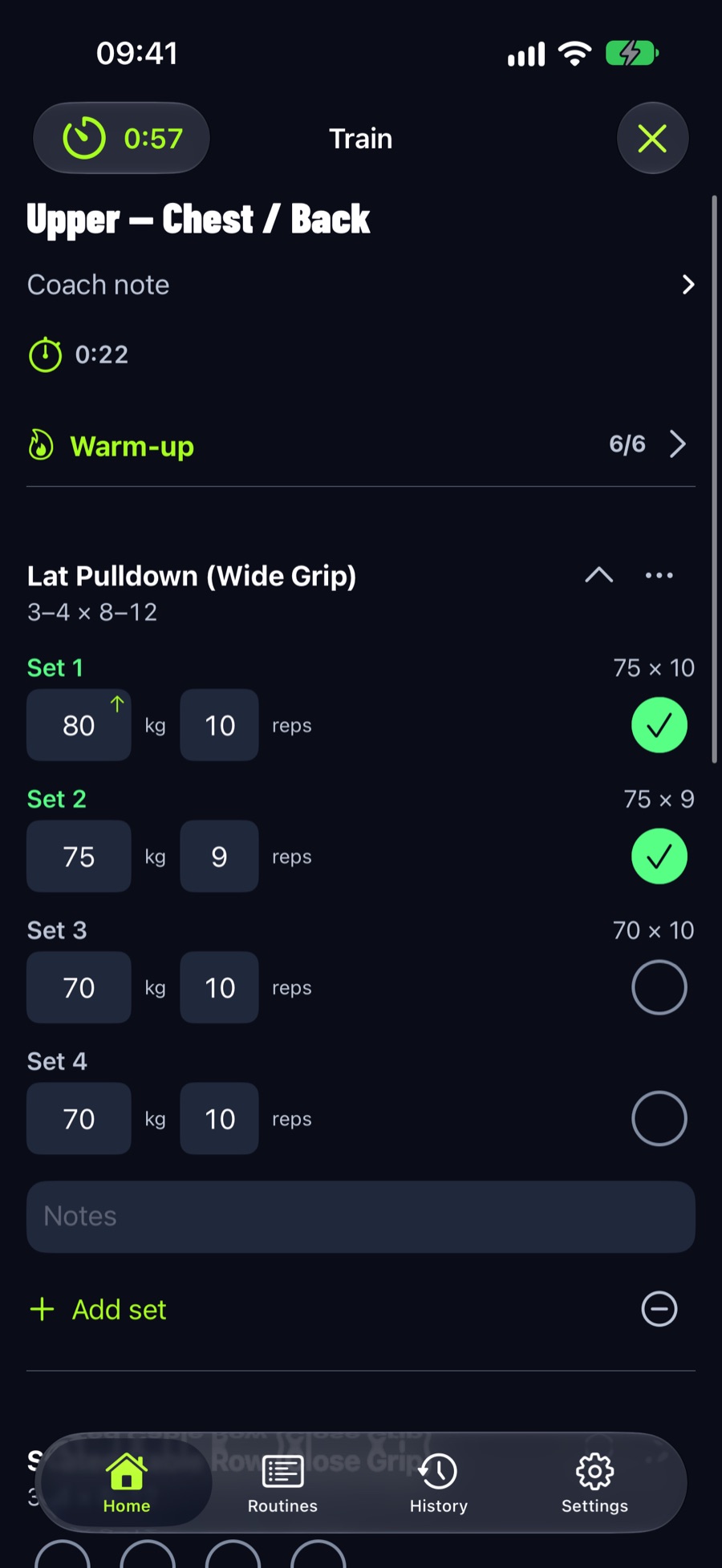
LiftLoggr is the log on this sheet, on your phone. It fills in last time’s weight and reps beside every set, works out the e1RM on its own, and keeps your workouts on your device: no account, no internet needed at the gym. Your history exports as CSV whenever you want it.
Tips that keep a log useful
- Write the set as soon as you rack the bar. Not at the end of the workout. You’ll forget the reps of set 3.
- Same names every time. “Bench press” and “Flat bench” are two exercises to a spreadsheet.
- Log what happened, not what was planned. If set 3 was 7 reps, write 7.
- Log warm-ups or don’t, but mark them. An unmarked warm-up spoils your e1RM and volume.
- Look back once a week. A log you never read is just a diary. What to keep and what to skip: what to write in a workout journal.
Questions
What should I write in a workout log?
Date, workout, and for every set: exercise, weight, reps and, if you use it, reps in reserve. Add a note only when something changed: a new grip, a pain, a bad night's sleep. That is enough to see progress.
How do I use the workout log in Google Sheets?
Download the XLSX, then in Google Sheets choose File > Import > Upload, or upload it to Google Drive and open it with Google Sheets. The formulas for volume, e1RM and the progress summary carry over.
Is the printable log free?
Yes. Every download on this page is free and ungated: no account, no email, no watermark. Print as many copies as you like.
A4 or Letter, kg or lb?
Letter for the US and Canada, A4 almost everywhere else. Pick the unit your gym's plates are marked in. The layout is the same in all four versions.
How do I track progressive overload on paper?
Write last time's weight and reps beside each exercise before you start. When every working set reaches the top of your rep range, add the smallest jump next session. Once a week, copy your best set onto the progress page and work out the e1RM.
Can I move my paper log into LiftLoggr later?
Not automatically. LiftLoggr has no import for logs or spreadsheets, so start the app from your current weights. Your spreadsheet stays yours, and LiftLoggr exports its own history as CSV with the same column names.
Sources
- Brzycki 1993, Predicting a one-rep max from reps-to-fatigue doi.org
- Zourdos et al. 2016, RIR-based RPE scale pubmed.ncbi.nlm.nih.gov