Key takeaways
- 01Fitbod is US$15.99 a month or US$95.99 a year (US), after a 7-day trial that starts a plan.
- 02Still want the app to plan: Alpha Progression, Hevy Trainer or JEFIT Elite.
- 03Ready to program yourself: Boostcamp, Liftosaur, StrengthLog or LiftLoggr.
- 04LiftLoggr has no AI and no adaptive plan; it runs double progression on the program you choose.
On this page
The right Fitbod alternative depends on whether you still want an app to plan your workouts. If yes, Alpha Progression is the closest match, with Hevy Trainer and JEFIT Elite as cheaper planners inside bigger apps. If you’re ready to run a written program yourself, Boostcamp, Liftosaur, StrengthLog and LiftLoggr each do that, and none of them charges you for planning you don’t use.
LiftLoggr is our app, and it sits firmly in the second group: it has no AI and doesn’t plan sessions for you. Facts about Fitbod and the rest come from their help centres, App Store listings (US storefront) and sites, checked 2026-11-14. We read the documentation; we didn’t train with each app for weeks.
What Fitbod’s planner actually does
Fitbod is good at a hard job, and its help centre explains it well. Each workout is built from two inputs: your My Plan settings (goal, experience, equipment, split, preferences) and the training you’ve already logged.
- Exercise selection from effectiveness data, your equipment and your feedback, from 1,600+ HD exercises with demonstration video.
- Recovery tracking: every muscle group gets a recovery percentage from 0 to 100 %; fresher muscles are prioritized, and full recovery can take “up to 7 days”.
- Sets, reps and weight from your logs. Complete an exercise comfortably and the load or reps go up; struggle and they come down.
- Deliberate variation (Fitbod calls it mStrength): some sessions higher reps and lighter, others heavier and fewer.
- Max Effort Days that reassess your strength, and lighter suggestions after a break.
For a lifter who doesn’t want to think about programming at all, that’s a real service. Concede it.
Why people look for a Fitbod alternative
- Price. US$15.99 a month or US$95.99 a year (USD, Fitbod help centre). A lifetime plan is “exclusively promotion only”.
- The trial. “To start your trial, you’ll need to opt into a subscription plan”, and it “will automatically roll over into a paid subscription unless canceled.”
- Your history lives on Fitbod’s servers. Offline, it still generates and logs workouts, but “Personal records, milestones, and full exercise history are synced from the server.” Deleting the account removes workout history permanently.
- Export. We searched Fitbod’s help centre for “export” and “csv” on 2026-11-14 and found no article on exporting workout history.
- Variety you didn’t ask for. Some lifters want the same squat, at the same rep range, getting heavier for 8 weeks. Fitbod’s design varies the stimulus on purpose.
Doing Fitbod’s job by hand
If you leave the planner, these are the decisions you take back. None of them is hard once it’s written down.
| Fitbod does | You replace it with |
|---|---|
| Picks exercises each session | A fixed split: full body, upper/lower or push/pull/legs |
| Tracks muscle recovery | A split that spaces sessions for the same muscle; each program page lays out the week |
| Sets the next weight and reps | A rep range per exercise plus double progression |
| Varies intensity across sessions | Heavier rep ranges on compounds (6–10), lighter on accessories (10–15) |
| Max Effort Days | An estimated 1RM from your normal sets, tracked over time |
| Eases you back after a break | Drop about 10 % and climb again; a deload when you stall |
That’s the whole system. How to track progressive overload covers it in depth.
Group 1: you still want the app to plan
Alpha Progression: the closest swap
Alpha Progression Pro does what most Fitbod users want: “The plan generator builds a complete plan around the equipment in your gym: split, exercises, sets and rep ranges”, then shows “the weight and reps to go for” before every set, adjusted for fatigue within the session. It handles periodization and scheduled deloads. The free tier still logs without limits, with “No account required”, free CSV export and offline use.
- Pick it if you want Fitbod’s guidance with a fixed plan rather than daily variety, and you’d like your data exportable.
- Know that it’s iPhone-only on the US listing (no Watch), Pro is US$12.99 a month or US$79.99 a year, and its label lists Purchases and Identifiers as used to track you.
Hevy Trainer: planning inside a big free logger
Hevy Pro includes Hevy Trainer: “a personalized workout program based on your goals and training preferences”, “progressive overload recommendations based on your previous performance” and suggested weights and reps. Pro is US$23.99 a year or US$74.99 one-time on the US App Store, and the logger around it is free with 4 routines.
- Pick it if you want planning for a quarter of Fitbod’s yearly price, plus Android, Wear OS, the web and a social feed.
- Know that Hevy needs an account, stores your log on its servers and starts profiles public.
JEFIT Elite: adaptive plan plus a huge library
JEFIT Elite’s Adaptive Plan is “a 12-week plan that adapts from your own logs, with a clear target for every set”, on top of 1,400+ exercises with HD video instructions. Elite is US$12.99 a month or US$69.99 a year (US).
- Pick it if the demo library is what you’d miss most from Fitbod.
- Know that the free tier caps stats history at 14 days and Apple Watch workouts at 3 lifetime, and JEFIT’s label lists Usage Data as used to track you.
Group 2: you’re ready to program it yourself
Boostcamp: pick a coach’s program
11,000+ programs on the listing, 130+ from named coaches, with progressions, periodization and deloads written in. Logging is free and offline. (It also sells an AI-built plan, if you change your mind.)
- Pick it if you want someone else to have written the program, and you’ll follow it as written.
- Skip it if you train with an Apple Watch: none is listed on the US App Store.
Liftosaur: write the rules once
Programs are text in Liftoscript, with progression and deload logic in the program itself. GZCLP and 5/3/1 come built in. It works without an account and offline, and the program engine is free.
- Pick it if you think in spreadsheets and want the app to follow your exact rules.
- Skip it if you don’t want a syntax to learn, or want the Watch app and graphs free (Premium).
StrengthLog: free programs, free logging
Unlimited free logging, 600+ exercises with instructions and video, popular programs and your own routines with linear progression. Double and triple progression and RIR logging are Premium.
- Pick it if you want a free start with ready programs and a library close to what you had.
LiftLoggr: your program, double progression, no account
LiftLoggr is our app. Plainly: no AI, no adaptive plan, no recovery model. It never picks exercises or rewrites your week. (A Siri Shortcut can add a fixed push, pull, legs, upper or full-body template; it’s the same template every time, not a plan.) What it does instead:
- You choose the program. Starter splits on first run (Push/Pull/Legs, Upper/Lower, Full Body), or a routine file from any of our program pages.
- It does the progression math. When every working set reaches the top of its rep range, the next session pre-fills one step heavier (2.5 kg on a barbell, 5 lb in pounds). If every set shows RIR 3 or more at the top, it jumps two steps. Three sessions in a row below the range at the same weight trigger a deload suggestion of about 10 %.
- Last time beside each set, warm-ups built from the first working set, and an auto rest timer on the Lock Screen and Apple Watch.
- No account, fully offline, with a history CSV and a JSON backup that restores.
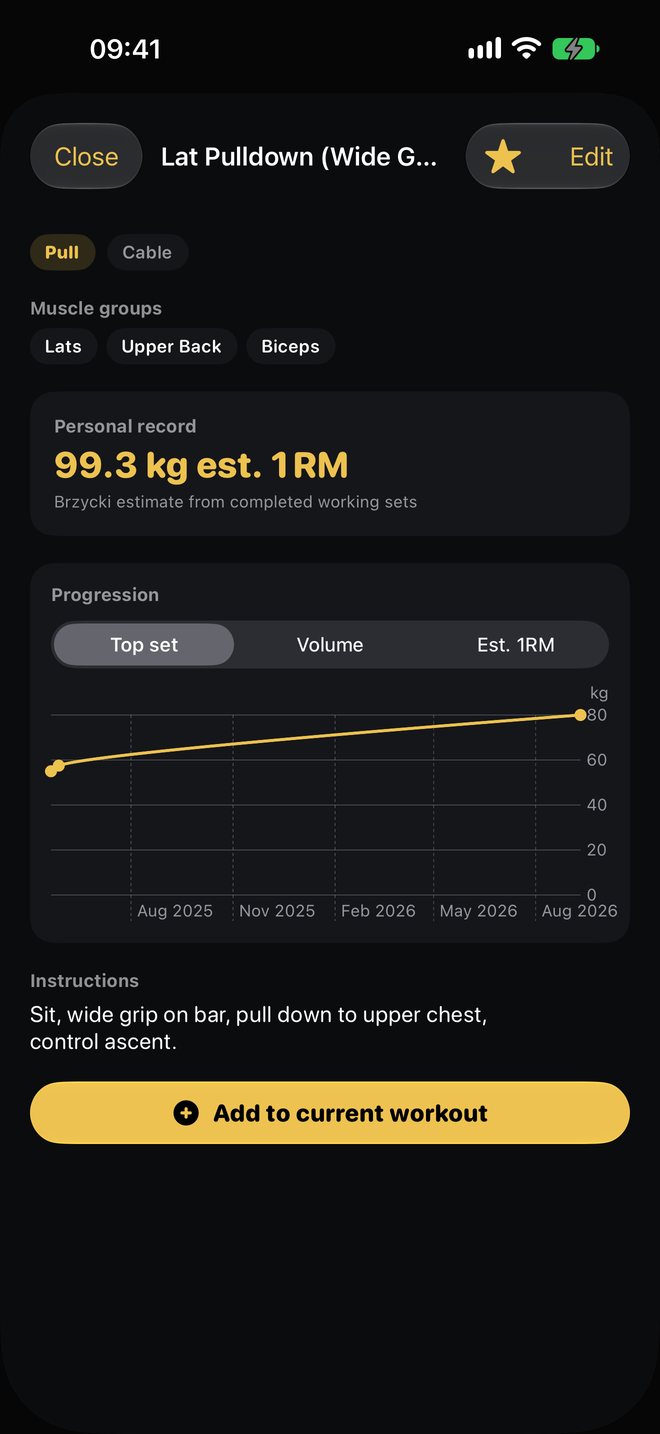
- Skip it if you want the app to decide what to train today, or you rely on video: our library is about 500 exercises with text instructions only. Android arrives on Google Play in early 2027.
Stay with Fitbod if…
- You don’t want to think about programming, ever. Fitbod’s whole design is to make those calls daily.
- You value variety: mStrength changes the prescription on purpose so sessions don’t repeat.
- You train at home with mixed equipment and want each session fitted to what’s there.
- You’d use the 1,600+ HD demonstrations to learn new movements as they come up.
A year of each, in US dollars
| App | What you pay for | Per year, US, 2026-11-14 |
|---|---|---|
| Fitbod | Daily planning | US$95.99 |
| Alpha Progression Pro | Plan generator, per-set recommendations | US$79.99 |
| JEFIT Elite | Adaptive Plan, coach plans | US$69.99 |
| Liftosaur Premium | Graphs, Watch app, plates; programs are free | US$39.99 |
| Hevy Pro | Hevy Trainer, unlimited routines | US$23.99 |
| StrengthLog Premium | Double progression, full program library | US$109.00 (US listing) |
| LiftLoggr | Store price | See the pricing line above |
Before you cancel Fitbod, write down your current working weights for every main lift. That list is the first page of your new log.
Questions
What's the closest app to Fitbod?
Alpha Progression Pro: a plan generator builds the split, exercises, sets and rep ranges, and the app recommends weight and reps for every set. Hevy Trainer and JEFIT Elite's Adaptive Plan also plan for you, inside larger apps.
Is there a free Fitbod alternative?
Not one that plans for free. The planning features in Alpha Progression, Hevy and JEFIT are paid. Free alternatives ask you to choose the program: Boostcamp's library, StrengthLog's free programs or Liftosaur's built-in ones.
How much does Fitbod cost?
Fitbod's help centre lists US$15.99 a month or US$95.99 a year in USD, after a 7-day trial that requires choosing a plan. A lifetime membership is promotion-only. Prices vary by region and platform.
Does LiftLoggr build workouts like Fitbod?
No. LiftLoggr has no AI and no adaptive planning. You pick a starter split or import a program, and it pre-fills the next weight with double progression and suggests a deload after three stalled sessions.
Can I export my Fitbod history?
We couldn't find an export article in Fitbod's help centre on 2026-11-14. Before you cancel, screenshot your records or ask Fitbod support. Deleting a Fitbod account permanently removes its workout history.
Sources
- Fitbod help: How Fitbod creates your workout help.fitbod.me
- Fitbod help: How does Fitbod decide my sets, reps and weight? help.fitbod.me
- Fitbod help: How to subscribe (plans and prices) help.fitbod.me
- Fitbod help: How the trial works help.fitbod.me
- Fitbod help: Can I use Fitbod without an internet connection? help.fitbod.me
- Fitbod help: Apple Watch help.fitbod.me
- Fitbod help: System requirements help.fitbod.me
- Fitbod help: How to delete your Fitbod account help.fitbod.me
- Fitbod, US App Store listing apps.apple.com
- Alpha Progression, US App Store listing apps.apple.com
- Hevy help: 2026 features guide (Hevy Trainer) help.hevyapp.com
- Hevy, US App Store listing apps.apple.com
- JEFIT Elite pricing and Free vs Elite table jefit.com
- Boostcamp, US App Store listing apps.apple.com
- Liftosaur, US App Store listing apps.apple.com
- Liftosaur: Sync and Offline liftosaur.com
- StrengthLog, US App Store listing apps.apple.com